This is a hands-on field course for security people who just became responsible for AI risk and need a working playbook by Monday morning.
Over two days, you find shadow AI in your org’s expense reports, score AI agent vendors against a 7-component harness, draft an Acceptable Use Policy, write a one-page brief that wins your CISO’s sign-off, and walk out with a personal 90-day plan for the role.
Course Length: 16 Hours
Includes a Certificate of Completion
Next scheduled date: Oct. 26-27 & WWHF Mile High 2027
Description
Your boss just dropped AI risk in your lap. Now what?
This is a hands-on field course for security people who just became responsible for AI risk and need a working playbook by Monday morning.
Over two days, you find shadow AI in your org’s expense reports, score AI agent vendors against a 7-component harness, draft an Acceptable Use Policy, write a one-page brief that wins your CISO’s sign-off, and walk out with a personal 90-day plan for the role.
You also study a working AI assistant called the Greenhorn alongside the instructor: how its harness components fit together, where its risks live, and how to turn what you see into CISO-ready action. You take the Greenhorn home so you can keep working with it after class.
You walk out with a step-by-step playbook you can run on your own org next week.
You also get a free PDF of Gears Don’t Guess: The Executive’s Practical Guide to Thriving in the Face of AI Hype and Risk (published September 2026), plus a free Kindle or softcover edition mailed after the class.
What You’ll Learn
By the end of the two days, you will be able to:
- Map where AI risk lives in your own org and rank the three forces (people, vendors, agents) by exposure.
- Hunt shadow AI purchases inside an expense report at scale using a spreadsheet, not eyeballs.
- Classify the data your AI use cases are touching, including the categories your IT team has not noticed.
- Score your org’s AI culture and a specific use case on the AIR-MAP framework and defend the score to your CISO and your auditor.
- Inspect any AI agent system and find the 7 harness components in under 5 minutes.
- Score an agent vendor against the 7 Agent Security Problems and make a defensible go-or-no-go call.
- Apply the four-part “show me the plumbing” diagnostic to expose AI vendor BS in one ask.
- Draft an AI Acceptable Use Policy for your own org in 25 minutes.
- Write a one-page CISO brief that earns immediate sign-off.
- Build a personal 90-day plan for your AI risk lieutenant role, in priority order.
You also leave with The Greenhorn: a CRO-provided AI assistant configuration pack you can install on your own laptop with your own tool of choice and keep using past Day 90.
-
System Requirements
- Join from a laptop with a webcam. Have a notebook handy. Bring a spreadsheet you can work in (Excel, Google Sheets, or Numbers).
-
Welcome variations (no instructor support for these in class):
- Text-tool fans. If you prefer grep, sed, awk, Python, or your own scripts on the supplied datasets, go for it. The instructor will not debug those choices during class.
- Observers. If you would rather just watch, that works too. Follow along on the instructor’s screen during the hands-on blocks. You still join the pair work and scenario challenges.
- AI-tool users. If you want to use Claude Code CLI, Claude Desktop, OpenAI Codex CLI, Cursor, Aider, Continue, or another agentic environment with The Greenhorn (your over-eager GenAI intern) loaded on your own laptop, you can. The Greenhorn is released before class as a take-home (see Section 4). The instructor will not debug The Greenhorn or your tool during class.
- All students reach the same outputs (risk map, discovery report, classification draft, AIR-MAP score, agent assessment, AUP draft, CISO brief, 90-day plan).
Syllabus
Two days, eight modules, fourteen instructional hours. Breaks built into the agenda; lecture chunks capped at 20 minutes; format rotates every ~20 minutes (lecture, pair discussion, try-it-now practice, scenario challenge, Q&A).
Day 1: Foundation plus Frameworks (Modules 1-4).
Module 1: Why AI Risk Is Your Problem Now. Name where AI risk lives in your stack in plain English your CFO understands. Walk out with a one-page AI risk map for your own org. Know which of the three forces (people, vendors, agents) is biggest at home.
Module 2: Hunting Shadow AI Through Finance Records. Spot shadow AI purchases in your org’s expense reports faster than your CFO does. Run a spreadsheet-based pattern-matching analysis on a 3,000-line expense dataset and walk out with a method you can run on your own org’s expenses next week.
Module 3: Sorting Your Data. Build a one-page data classification draft for an AI use case in your org by lunch on Day 1. Know which data types AI is touching that your IT team has not noticed.
Module 4: The AIR-MAP Framework: Culture plus Core. Score your own org on a Lite Culture AIR-MAP. Score a specific use case on a Lite Core AIR-MAP. Know when to use each and how to talk about both with your boss.
Day 2: Advanced plus Action (Modules 5-8).
Module 5: Agent Security Deep Dive. Spot the 7 harness components in any AI agent system in under 5 minutes. The instructor walks the class through the Greenhorn live as the worked example so you see each component mapped to a real working AI assistant. Make a go-or-no-go call on a real agent vendor that you can defend. Know what to ask any agent vendor to separate plumbing from pitch.
Module 6: Acceptable Use plus Governance Plumbing. Draft an AI Acceptable Use Policy for your own org by module end. Identify the four plumbing components (specifications, scoped agents, human gates, data fences) in any AI deployment. The instructor walks the class through how each plumbing component shows up in the Greenhorn. Walk out with the diagnostic question that exposes AI vendor BS in one ask.
Module 7: Communicating Up to Your CISO. Write a one-page CISO brief that earns immediate sign-off, not a follow-up question. Set your CISO up for success in their next conversation with the CFO or board. Know the three practitioner-to-CISO communication failures to never repeat.
Module 8: The First 90 Days. Walk out with a personal 90-day plan for your AI risk lieutenant role. Know the three highest-impact actions to take in Week 1, in priority order. Leave with weekly and monthly cadences that keep the work alive past Day 90.
FAQ
The in-house go-to person on AI risk. Or the person who just got volunteered for the role.
Job titles vary: cybersecurity manager, senior cybersecurity analyst, GRC analyst, risk analyst, internal auditor, privacy officer, vCISO, MSSP team lead, security architect, IT director. The pattern is the same. Reports to a CISO or equivalent. Wants tools, frameworks, and language to take back and use Monday.
This is NOT a red-team or AI-exploit class. No prompt-injection labs. No jailbreak workshops. No malware. If you want hands-on offensive AI, look elsewhere on the Antisyphon catalog.
This IS a defensive and governance set of playbooks for the cybersecurity professional whose org just made AI risk their problem.
Intermediate.
You should already work in cybersecurity, infosec, risk, audit, or IT, with a few years of experience. No AI background needed. No coding background needed.
If you can run Excel pivot tables and column filters, you will move faster on the supplied datasets. No tools beyond a spreadsheet are required to get full value from the course.
At a minimum, you should be able to:
- Discuss your own org’s security or risk program at a working level.
- Read a vendor pitch and find the obvious red flags.
- Trade ideas out loud with a partner.
On partnering: the class runs online (Antisyphon) and in person (WWHF Mile High). At the start of Module 1, the instructor assigns pairs. Pairs hold for the full two days so the peer-trade across modules lands well. If your pair partner drops, the instructor reassigns.
Recommended (not required) pre-reading: Gears Don’t Guess Chapter 3 (“What’s Already in Your Stack”) and Chapter 4 (“Sorting Your Data”). About 50 pages, sent in PDF with your enrollment confirmation.
Recommended (not required) to bring:
- An org chart of your own organization (one page).
- A sanitized expense report from your own org. Ask your finance team for an export of 3 to 6 months of employee expense or corporate card transactions, in a spreadsheet. Keep the vendor, date, amount, and description columns. Strip employee names and IDs before class. Get permission to use it. This is the file you’ll hunt through in Module 2 to find shadow AI purchases in your own org’s spending.
- One AI use case in your org that you care about.
- One AI vendor pitch you are evaluating.
If you cannot bring any of these, CRO provides synthetic sample data so every lab exercise still works for you.
No VM. No special platform. No install needed for class.
Lab materials used in class:
- A 3,000-line synthetic expense dataset with planted shadow AI cases. Used in Module 2.
- A HelpDeskBot vendor pitch transcript for the Module 5 scoring scenario.
- Worksheet templates for every Try-It-Now block.
- In-class cards: the 7 Harness Components, the 7 Agent Security Problems, the Vendor Assessment Questionnaire, the CISO Communication Cheat Sheet, the CRO AI AUP template.
- A printed Greenhorn architecture diagram that students annotate while the instructor walks through the Greenhorn live during Modules 5 and 6.
The Greenhorn (take-home). The Greenhorn is a CRO-provided AI assistant configuration pack: system prompt, exercise prompts, grounding files, and setup docs. It is released before class so students who want to keep working with the Greenhorn after class can install it on their own laptop on their own time. Two optional office hours sessions are offered the week before class for install help (Fri Oct 23 and Sun Oct 25, both evenings ET, for the Antisyphon online class). The Greenhorn is not used as a class lab tool; the instructor demonstrates it.
Students work in pairs during pair-discussion blocks and in small groups during scenario challenges. Pairs hold for the full two days so the peer-trade across modules lands well.
About the Instructor
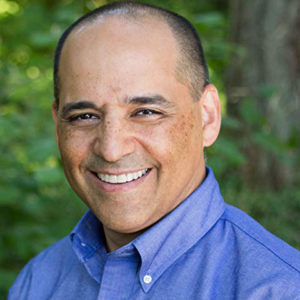
Kip Boyle
Bio
Kip Boyle helps cybersecurity practitioners and business leaders see, size, and solve cyber and AI risk. He’s the founder and CISO of Cyber Risk Opportunities LLC, where his team serves as fractional CISOs for mid-market companies. He’s worked in cybersecurity since 1992, first as a US Air Force captain leading wide area network security for the F-22 program, then as CISO at PEMCO Insurance in Seattle.
Kip created AIR-MAP, an AI risk assessment for organizations that buy AI rather than build it. He wrote “Fire Doesn’t Innovate” (2nd edition, 2025), and his next book, “Gears Don’t Guess,” shows how to govern the AI they buy. He co-hosts the Cyber Risk Management Podcast, with more than 10,000 downloads each month. He’s also the primary author of the open-source “Cybersecurity Hiring Manager Handbook.”
Kip is a husband, dad, and small business owner. He lives in the Seattle area.
This class is being taught at Wild West Hackin’ Fest – Mile High 2027.
For more information about our conferences, visit Wild West Hackin’ Fest!
Clicking on the button above will take you to our registration page
Register for Upcoming
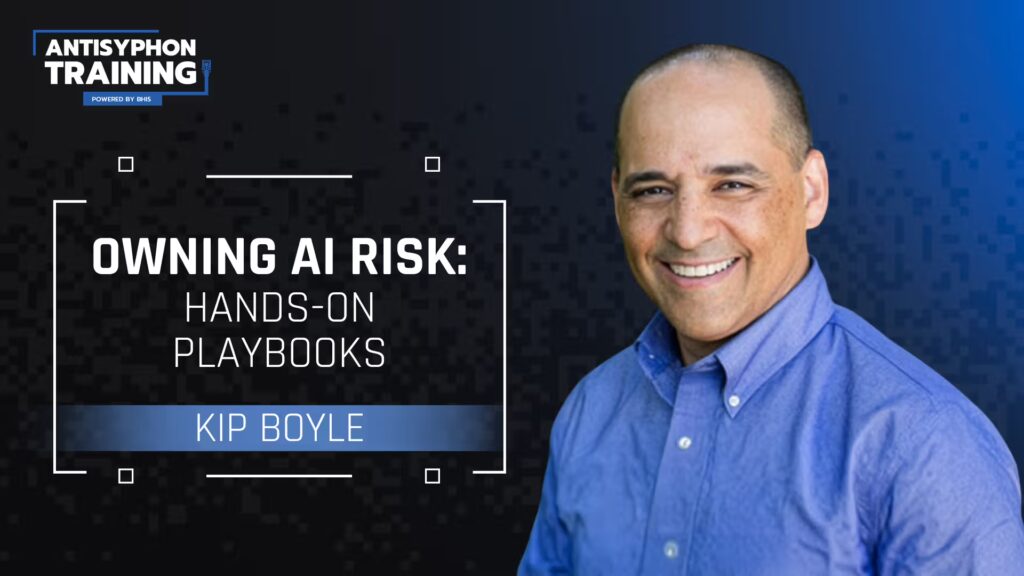
Owning AI Risk: Hands-On Playbooks
Live Training Kip Boyle
- Includes certificate of participation
- 12 months access to Cyber Range
- 6 months access to class recordings
- Our appreciation
Wild West Hackin' Fest Mile High 2027
Live Training Kip Boyle
Owning AI Risk: Hands-On Playbooks is being taught at Wild West Hackin’ Fest – Mile High 2027.
For more information about our conferences, visit Wild West Hackin’ Fest!
Related products
-
Chris TraynorLive4 Hrs
Workshop: Offensive Tooling Foundations
View Course -
Hal DentonLive4 Hrs
Workshop: Telemetry to Tactics: A Hands-On Detection Engineering Workshop with Hal Denton
View Course This product has multiple variants. The options may be chosen on the product page -
Tim PappaLive4 Hrs
Workshop: How to Befriend and Bedazzle Online Threat Actors
View Course This product has multiple variants. The options may be chosen on the product page -
Multiple InstructorsLive4 Hrs
Workshop: Hacking AI-LLM Applications
View Course This product has multiple variants. The options may be chosen on the product page